
The AI Runtime Layer: What Breaks When Real Users Show Up to AI-Built Software
Written By: Shane Clark on May 22, 2026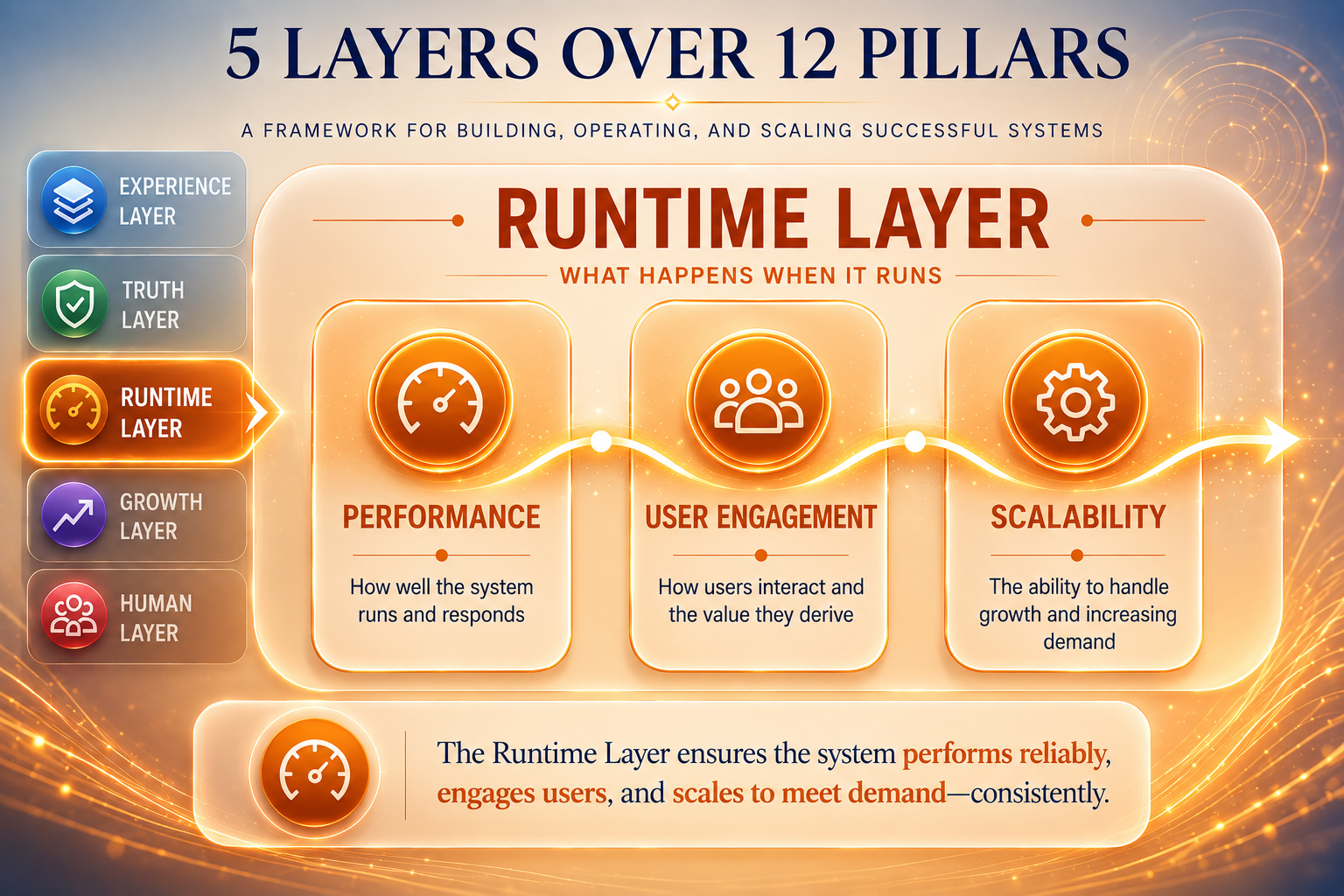
What is the AI runtime layer?
The AI runtime layer holds two pillars that only surface when real users show up: Performance and User Engagement. Performance is how the slowest real user feels while they wait. User Engagement is whether the interface tells that user what is happening while they wait. Both are invisible in a test environment.
The AI runtime layer is everything that only happens when the software is actually being used by real people on real networks at real speeds. The screen looks fine on the developer’s machine. The data is correct. The business rules are tight. Yet the moment the system meets a slow phone, a flaky connection, or a user who taps the same button twice, it falls apart.
This post is the third in a five-part series that walks through the 12 pillars of an effective AI operator one layer at a time. The cornerstone post lays out all twelve in one map. The previous post covered the AI truth layer, where bugs hide underneath the screen. This post goes one layer outward, to the bugs that only surface under real conditions.
Specifically, the runtime layer holds two of the twelve pillars: Performance and User Engagement. They are different bugs, yet they share a trait. Both pass every test on the developer’s machine. Both fail the moment a real user shows up with a real phone on a real network. AI does not see them because AI does not experience time the way a human waiting for a page to load does.
Why the AI runtime layer is the one that surprises clients
First, this is the layer the client experiences first. They open the link, the page loads (or does not), they click a button, something happens (or does not). Long before anyone looks at the data or the schema, the client has already formed an impression of whether the system feels alive or feels broken. So a runtime-layer bug is the bug most likely to cost you the client even when everything else is right.
In contrast, this is also the layer where AI is most blind. AI does not feel the seven seconds of blank white screen before a page renders. It does not feel the panic of clicking a save button and seeing nothing happen. From the AI’s perspective, the work completed in 380 milliseconds, returned the right response, and is done. From the user’s perspective, the page felt dead. As a result, the runtime-layer pass is where most AI-built software needs the most help, and where an AI business automation audit catches what the build team could not.
Performance: how the slowest real user feels while they wait
Performance is what someone with a four-year-old phone on a coffee-shop wifi connection feels while they wait. It is not the number on the developer’s MacBook with fiber. The Lighthouse score on the build machine is roughly meaningless. The real measurement is how the system feels for the real user.
AI ships a specific failure mode here. It builds pages that wait for all the data to arrive, then render everything in one snap. On a slow phone, that snap can be five or seven seconds of blank white screen, even when the underlying response time is fine. The user thinks the page is broken. They hit refresh, which restarts the whole wait. Or they leave.
The right pattern is to render a skeleton or a partial first, then fill in the data as it arrives. Google’s Core Web Vitals grade pages the same way the user does: by when content first appears, not by total time to fully loaded. The inspection question for Performance is to ask: on a deliberately slow network and a five-year-old phone, what does the user see in the first one, two, and four seconds? Anything that shows blank for four seconds is a Performance bug, regardless of how fast it loads on the build machine.
User Engagement: keeping the user informed while the system works
User Engagement is whether the system tells the user what it is doing. AI ships a default of silence. The user clicks save. Nothing visibly happens for two seconds. The user clicks save again, because they assumed the first click did not register. Now there are two records in the database, or the request fires twice, or the payment processes twice, depending on what “save” meant.
The cost is a different shape from Performance. Performance bugs make the user leave. In contrast, User Engagement bugs make the user create wrong data, duplicate records, abandoned half-flows, and the support tickets that follow. A button that does not visibly acknowledge a click is a User Engagement bug, even when the underlying request completed in 80 milliseconds.
Decades of research on interface response times show three thresholds. Under 100 milliseconds, the user feels the system reacted instantly. From 100 milliseconds to one second, the user feels a slight delay but still in control. Past one second, the user needs visible feedback that the system is working, or they will assume it is broken. The inspection question for User Engagement is to ask: for every action the user takes that does not complete in 100 milliseconds, does the interface show that the system received the action and is working on it? A spinner, a disabled button, a progress bar, a status message, any of these. Silence is the bug.
How an operator inspects the AI runtime layer
Run the two pillars in order, after the experience and truth passes are complete. First, Performance: throttle the network to a “slow 3G” simulation in Chrome DevTools, throttle the CPU to 4x slowdown, and walk through the main flows. Notice every moment of blank-screen-with-no-feedback. Each one is a Performance bug.
Then, User Engagement: walk the same flows on the same throttled environment, but this time click every button and submit every form. Count how many take longer than 100 milliseconds to acknowledge. For each one, ask: does the interface show that the click registered? Does the button disable, the cursor change, a spinner appear, anything? Every action that completes silently past the 100-millisecond threshold is a User Engagement bug.
In practice, this pass is faster than the truth-layer pass but slower than the experience-layer pass, usually 30 to 60 minutes on a single feature. The bugs are cheap to fix individually (a spinner is a few lines of code), but they accumulate. A flow with five buttons that all need spinners and three pages that all need skeleton states is a half-day of work the build team never planned for. The same disciplined catch-and-fix cycle shows up in every well-run AI automation cycle, and the shift to AI-assisted insourcing is what makes consistent runtime-layer attention practical at all.
The next layer down
The runtime layer holds the bugs that surface under real-user conditions. Below it, the growth layer holds the single pillar that only surfaces when the system scales. Specifically: things that work fine at 20 users and fall apart at 2,000. A dropdown with 20 items is fine. The same dropdown with 2,000 items is unusable. Scalability is the pillar where everything ships invisible and fails on the worst possible day, the day the client finally gets busy. That is the next post in this series.
For the full 12-pillar map, the cornerstone post on the AI operator role lays out all five layers in one place.
Final thoughts: get a second set of eyes
I am the AI operator agencies and small teams hire when they need to know what their AI-built software actually feels like in front of a real user. I run the two runtime-layer pillars after the four experience pillars and the three truth pillars, and I write up exactly where the user is going to feel friction the build team did not feel. If that is the kind of work you want done on your project, an AI business automation audit walks all twelve pillars across the five layers, and the audit pricing page has the numbers.
I am Shane, and I run ShaneWebGuy, a fully digital web development and AI automation studio serving 24 US cities.
Frequently asked questions
I audit AI-built software across all five layers before it ships to clients. If you want an operator’s eyes on your next project, an AI business automation audit covers every pillar.
Why does AI miss runtime-layer bugs?
Because AI does not feel time. From the AI's perspective, a request completed in 380 milliseconds is a success. From the user's perspective, those 380 milliseconds were a click followed by nothing visible, which is indistinguishable from a broken button. The bug lives in the gap between machine time and human time, and AI cannot perceive that gap.
What is the most common Performance bug AI ships?
A page that waits for all data before rendering anything. On a slow phone, that pattern produces five to seven seconds of blank white screen, even when the underlying response time is fine. The fix is to render a skeleton or partial first, then fill in data as it arrives. Google's Core Web Vitals grades this directly: time to first content matters more than time to fully loaded.
What is the most common User Engagement bug AI ships?
A button that does nothing visible when the user clicks it. The request fires, the response comes back, the system saves the record, yet the user, who only sees the screen, sees no acknowledgement that the click registered. So they click again. Now there are two records, or the payment processed twice, or the form submitted twice with the same data.
How fast does a system need to respond to feel responsive?
Under 100 milliseconds feels instant. Between 100 milliseconds and one second feels like a slight delay but still in control. Past one second, the user needs visible feedback (spinner, progress bar, status message, disabled button) or they will assume the system is broken and either retry or abandon. These thresholds come from decades of Nielsen Norman Group research on interface response times.
How do you test runtime-layer bugs without a slow phone?
Chrome DevTools' network throttling and CPU throttling. Set the network to "Slow 3G" and the CPU to 4x slowdown, then walk every flow. The throttled experience is close enough to a four-year-old phone on a coffee-shop wifi connection to surface most runtime-layer bugs without needing the actual hardware.
Can AI catch its own runtime-layer bugs?
Not reliably. AI can measure response times in milliseconds, but it cannot feel how seven seconds of blank screen actually feel to a human. The bug lives in the human experience of time, and AI has no internal model of that experience. The runtime layer is one of the pillars where human inspection is structurally irreplaceable, because the inspection is about feeling, not measuring.
