
Getting the Most out of Google Analytics
Written By: Shane Clark on April 19, 2019
I have placed the Google Analytics tracking code on countless websites that I have either worked on or built over the last decade. I have only seen a small percentage of cases where developers set up Google Analytics to fully utilize and measure the website’s metrics and how it is converting.
Why Is Analyzing Data So Important?
It is very important to know how your users interact with the website, because this will allow you to adjust your marketing strategies based on your user’s metrics. This includes how the user arrived at the site as well as the tendencies they have as they navigate around. You can make adjustments to increase the conversion rate of the website.
Conversion Tracking Goals

My first stop when looking to see if Google Analytics is correctly set is to look for conversion tracking goals. You can get there by going to admin -> account settings -> property settings -> view and goals.
I have included an example above of how I have set up my conversion goals for ShaneWebGuy. Conversion tracking goals are important to understand how the users are interacting within the site once they arrive. In my case I have set up actions like videos played, resumes downloaded, chats initiated, contact forms submitted, and a few other click actions I want to monitor. There is a limitation of twenty conversion goals per view, but I have found this is adequate for conversion tracking.
Google Tag Manager
Google Tag Manager and properly setting up conversion tracking goals go hand and hand. It allows for a developer to set up unique goals on the website without the additional placement of code per section. This makes the setting up and management of conversion goals much more streamlined.
Custom Reporting Dashboards
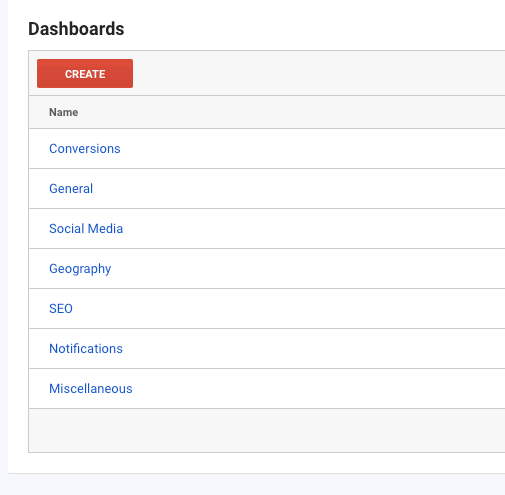
Custom reporting dashboards allow for a consolidated view of exactly the data you need to see. These can be created per “view” and there is no limitation. They can be created from scratch or downloaded from a public library and then modified based on your needs depending on the type of website.
I find that there are standard dashboards that universally fit every website. In the case of an E-commerce website, there will be additional data that will be helpful to view on demand. Refined and sorted data makes following the metrics of a website much easier.
Setting Up Custom Alerts
Custom alerts are a great way to set notifications based on a predetermined set of metrics. You can set these alerts on any type of Google Analytics data. It is particularly useful for notifications that could affect a Google Ads or marketing campaign. An alert could signal that your campaign needs an immediate adjustment. Google Analytics can send these alerts to both a cell phone number as well as an email address.
Custom Reports / Google Data Studio
It is important to send out reports to show status and progress of your websites metrics and their use. There are many 3rd party software solutions that do much of the heavy lifting for you. In the past I was inclined to just set up custom reports directly with Google Analytics. With the release of Google Data Studio, I have found it is much more efficient to create any reports directly in the Google Data Studio interface.
Here are some sample reports I created for ShaneWebGuy.com within Google Data Studio to demonstrate its usefulness:
KPI – All User Data
KPI – California User Data
All User Data – Historical
Site Speed Report
