
Which Claude Model Should Developers Use Opus Sonnet or Haiku
Written By: Shane Clark on March 16, 2026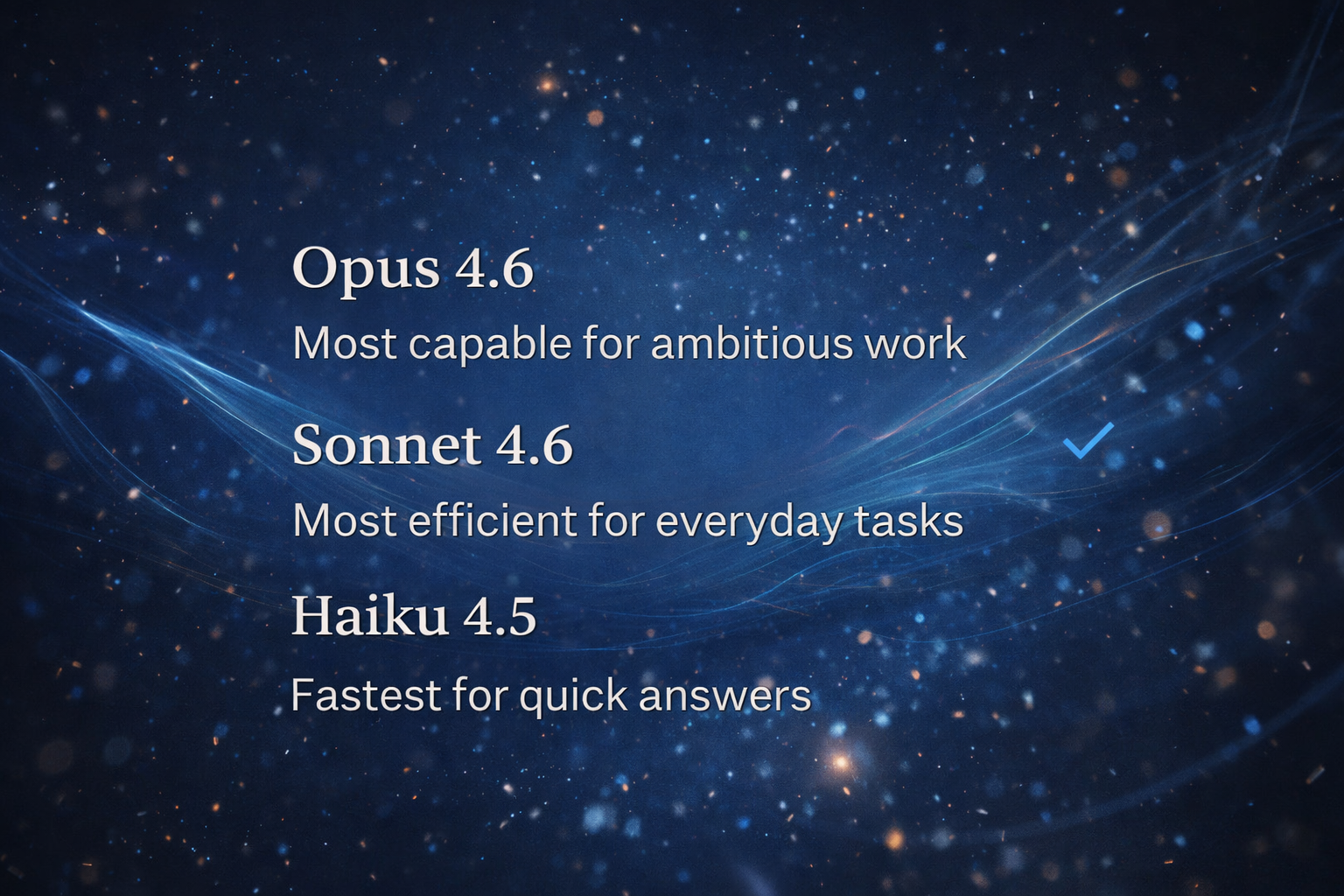
Which Claude model should developers use?
There is no single best Claude model for developers. I reach for Opus on hard reasoning and big refactors, Sonnet for everyday coding where speed and accuracy balance out, and Haiku for fast, cheap, high volume tasks. The right pick depends on the job, your budget, and how many tokens it will burn.
If you’ve started using AI tools in development, you’ve probably noticed something quickly. Not all models behave the same. Some are fast, while others are more accurate. In addition, some handle complex problems better but use more resources. Because of this, understanding these differences is not just technical. Instead, it directly affects how efficiently you work.
Claude models for developers cover different types of tasks. For example, Opus handles deep reasoning and complex problem solving. Meanwhile, Sonnet offers a strong balance between performance and efficiency. At the same time, Haiku focuses on speed and high-volume tasks. As a result, each model has a clear role. If you use the wrong one, you may slow yourself down or waste tokens.
This is where efficiency starts to matter more. It is not just about how smart a model is. Rather, it depends on how often you use it and how much output you generate. For instance, a stronger model may solve a problem in one pass. However, a lighter model may require multiple attempts. On the other hand, using a powerful model for simple tasks can drain your usage quickly.
Because of this, developers should not rely on one model for everything. Instead, the real advantage comes from knowing when to switch. Once you understand how Claude models work and how they use tokens, you can build a workflow that is faster, more efficient, and easier to scale.
Opus for Complex Development and High Stakes Problem Solving
When you run into a problem that does not make sense, this is where Opus becomes valuable. It is built for deeper reasoning, so it handles complex development work much better. Instead of giving surface-level answers, it works through problems step by step and connects multiple pieces of logic more effectively.
For example, if you are debugging an issue across several files, Opus can follow that flow more clearly. It also helps with system design, architecture decisions, and refactoring larger sections of code. Because of this, it is the best choice when accuracy matters and mistakes cost time.
However, this power comes at a cost. Opus uses more tokens and compute than the other models. As a result, your usage can drop quickly if you rely on it too often. That is why it should not be your default model.
Instead, think of Opus as a tool for difficult situations. If you are stuck, if something keeps breaking, or if you are working on a critical feature, it makes sense to switch. In many cases, it solves the problem in one pass, which can save time overall.
Sonnet as the Best Default Model for Everyday Development Work
For most development tasks, Sonnet is the model you should use. It offers a strong balance between performance and efficiency, which makes it ideal for daily work. While it is not as powerful as Opus, it still handles most coding tasks without issues.
You can use Sonnet to build features, write functions, debug common problems, and generate structured outputs. In addition, it works well for explaining logic and helping you move through tasks faster. Because it is more efficient, you can stay in a steady workflow without burning through your usage.
Another advantage is consistency. Sonnet gives reliable answers across a wide range of tasks. While it may need a second pass in some cases, it usually gets you very close on the first try. Because of this, it becomes the best default option for most developers.
Haiku for Speed Automation and High Volume Development Tasks
Haiku is designed for speed and efficiency. It is the fastest and lowest-cost model, which makes it useful for simple and repeatable tasks. While it does not handle complex reasoning as well, it still performs well when the task is clear and straightforward.
For example, you can use Haiku to generate templates, rewrite code, format outputs, or handle bulk automation tasks. In these situations, speed matters more than deep reasoning. Because of this, Haiku can save a large amount of tokens when used correctly.
However, it is important to understand its limits. Haiku may struggle with complex logic or multi-step problems. As a result, you may need to correct or refine its output. Even so, it works well when paired with stronger models.
In practice, Haiku becomes your support layer. You use it for repetitive tasks and high-volume work, while relying on Sonnet or Opus for more complex problems. This approach helps you scale your workflow without increasing cost unnecessarily.
Claude Models for Developers Token Usage Explained in Simple Terms
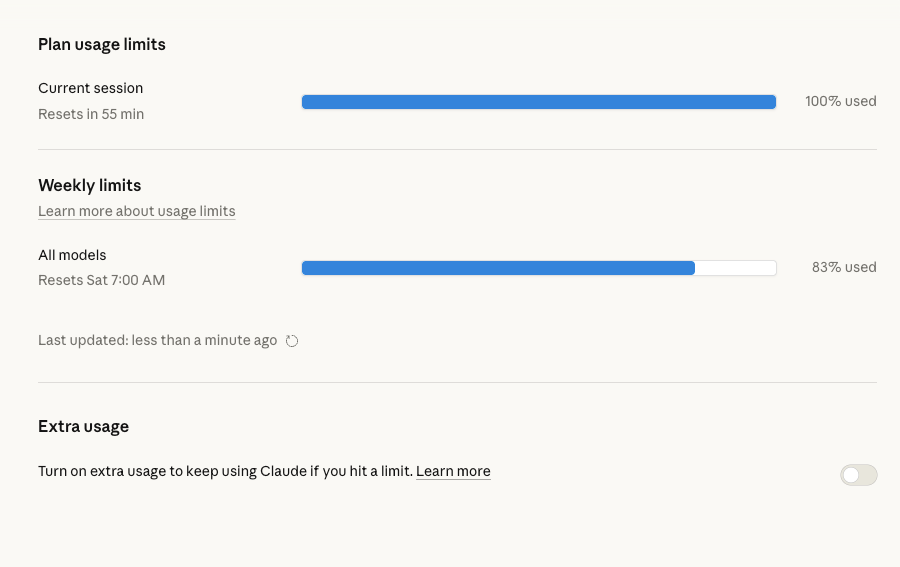
When developers start using AI tools more often, token usage becomes an important factor. Claude models for developers use tokens as a way to measure both input and output. Every prompt you send and every response you receive adds to that total. Because of this, understanding how tokens work can help you control both cost and efficiency.
Not all models use tokens the same way. For example, Haiku is the most efficient option and uses the least amount of resources. On the other hand, Sonnet sits in the middle and offers a balance between performance and usage. Meanwhile, Opus uses the most tokens because it performs deeper reasoning and handles more complex tasks.
Because of these differences, the same prompt can have a very different impact depending on the model you choose. A simple request may cost very little on Haiku but significantly more on Opus. However, that does not always mean the cheaper option is better. In some cases, using a stronger model once is more efficient than retrying multiple times with a lighter one.
For developers, the goal is to match the task to the model. When you understand how claude models for developers consume tokens, you can avoid unnecessary usage while still getting high-quality results. Over time, this leads to a more efficient workflow and better control over your resources.
How to Choose the Right Claude Model for Each Development Task
Choosing the right model is one of the most important decisions when working with AI. Claude models for developers each serve a different purpose, so selecting the right one depends on the task you are trying to complete.
For simple and repetitive tasks, Haiku is often the best option. It works well for formatting, generating templates, and handling bulk operations. Because it is fast and efficient, it allows you to scale your workflow without using too many tokens.
For most development work, Sonnet becomes the default choice. It handles coding tasks, debugging, and general problem solving with strong reliability. In addition, it provides a good balance between quality and efficiency, which makes it ideal for everyday use.
When the task becomes more complex, Opus is the better option. It helps with deeper reasoning, system design, and difficult debugging scenarios. Although it uses more tokens, it can often solve problems faster and with fewer mistakes.
Because of this, developers should think in terms of task matching instead of model preference. When you align the model with the complexity of the task, claude models for developers become much more effective and easier to manage.
Claude Models for Developers Workflow How to Use Opus Sonnet and Haiku Together
The real advantage of claude models for developers comes from using them together instead of relying on just one. Each model plays a role, and combining them creates a more efficient workflow.
A common approach starts with Haiku for simple tasks. For example, you might use it to generate initial drafts, templates, or repetitive code. Because it is fast, it allows you to move quickly through high-volume work.
Next, you can move to Sonnet for refinement. It works well for improving structure, fixing logic, and handling most development tasks. At this stage, you are focusing on quality while still keeping efficiency in mind.
Finally, when you encounter complex problems, you switch to Opus. This is where deeper reasoning is needed. Whether you are debugging a difficult issue or designing a system, Opus can provide more detailed and accurate solutions.
By using this layered approach, you reduce unnecessary token usage while still getting strong results. Instead of relying on one model for everything, you use each model where it performs best. Over time, this makes your workflow faster, more scalable, and easier to manage.
How Claude Models for Developers Work Across Chat Code and Extensions
When working with Claude models for developers, it is important to understand that usage is not just about the model. It also depends on where and how you are using it. Claude Chat, Claude Code, and extensions all use tokens differently based on the task and environment.
For example, Claude Chat is the most common interface. It is designed for conversations, quick questions, and general problem solving. Because of this, token usage tends to stay moderate unless you are working with long prompts or large outputs. This makes it a good starting point for testing ideas or getting quick answers.
Claude Code works differently. It often processes larger inputs, such as files, codebases, or structured data. As a result, it can use more tokens in a single request. However, it also provides more context-aware responses, which can reduce the need for multiple prompts. In many cases, this leads to better efficiency even if the initial cost is higher.
Extensions and integrations add another layer. These tools often run tasks in the background or across multiple steps. Because of this, token usage can scale quickly depending on how the workflow is designed. For example, an automation that runs across several pages or datasets may use significantly more tokens than a single chat request.
Understanding these differences helps you choose not just the right model, but the right environment. When used correctly, claude models for developers become more flexible and efficient across different workflows.
Claude Models for Developers Token Usage Across Opus Sonnet and Haiku
Token usage becomes more important when you combine different models with different environments. Claude models for developers do not just vary by capability. They also vary by how efficiently they use tokens for each type of task.
Haiku is the most efficient model. It works best for short prompts, simple outputs, and high-volume tasks. Because it uses fewer tokens, it is ideal for automation and repetitive workflows. However, it may require multiple attempts if the task becomes more complex.
Sonnet offers a balance between efficiency and performance. It uses more tokens than Haiku but provides stronger results on the first attempt. For most development tasks, this makes it the best default option.
Opus uses the most tokens, but it also delivers the deepest reasoning. In situations where accuracy matters, it can reduce the need for retries and corrections. Because of this, it can still be efficient for complex problems.
When you combine these models with tools like Claude Chat or Claude Code, the impact becomes more noticeable. A large input in Claude Code with Opus will use significantly more tokens than a simple Haiku request in chat. Because of this, developers should think about both the model and the environment when managing usage.
Common Mistakes Developers Make When Using Claude Models
Even with a strong understanding of Claude models for developers, mistakes still happen. One of the most common issues is using the wrong model for the task. For example, many developers rely on Opus for everything, which leads to unnecessary token usage.
Another mistake is ignoring the environment. Using Claude Code for simple tasks can increase token usage without adding value. On the other hand, trying to handle complex problems in a basic chat environment can lead to repeated prompts and wasted time.
In addition, many developers do not think in terms of workflow. They treat each request as separate instead of building a system that uses different models and tools together. Because of this, they miss opportunities to improve efficiency.
To avoid these issues, it helps to stay flexible. Claude models for developers work best when you adjust both the model and the environment based on the task. This approach leads to better results and more efficient usage over time.
Final Thoughts on Claude Models for Developers and Efficiency
Claude models for developers are not just about choosing the most powerful option. Instead, they are about building a system that uses the right model in the right place. When you combine Opus, Sonnet, and Haiku with tools like Claude Chat and Claude Code, you unlock a much more efficient workflow.
In practice, this means starting simple, scaling when needed, and switching tools as the task becomes more complex. Over time, this approach helps you reduce token usage while improving output quality.
More importantly, it changes how you approach development. You move from single tasks to structured workflows. As a result, your process becomes faster, more scalable, and easier to manage.
Need Help Building AI Automation and Development Workflows That Actually Work
If you are using Claude models for developers and want to take things further, the next step is automation. Instead of handling tasks one by one, you can build systems that connect models, tools, and workflows together.
At ShaneWebGuy, I focus on building practical AI automation systems that work in real business environments. This includes connecting tools like Claude Chat, Claude Code, and other integrations into structured workflows that save time and reduce manual effort.
Whether you are building internal tools, client solutions, or scaling your development process, the goal is the same. Create systems that are efficient, reliable, and easy to manage.
If you want to go deeper, check out our AI businesses automation services and see how these workflows can be applied to your business.
Want help with the kind of web platforms or SEO programs covered here? I’m Shane Clark, the operator at ShaneWebGuy. 21 years building US web platforms and running internet marketing systems. If you want a second pair of eyes on what’s breaking, send me a note or call (408) 915-5077. US clients only.
